KROMA - Atmosphere Toolkit (URP)
Launched Jul 2026 25d
Updated Jul 2026 25d Active
FayLabs
Price history
Tracked store price
No tracked price history is available for this asset yet.
No tracked price history is available for this asset yet.
Signals
Render pipelines
Description
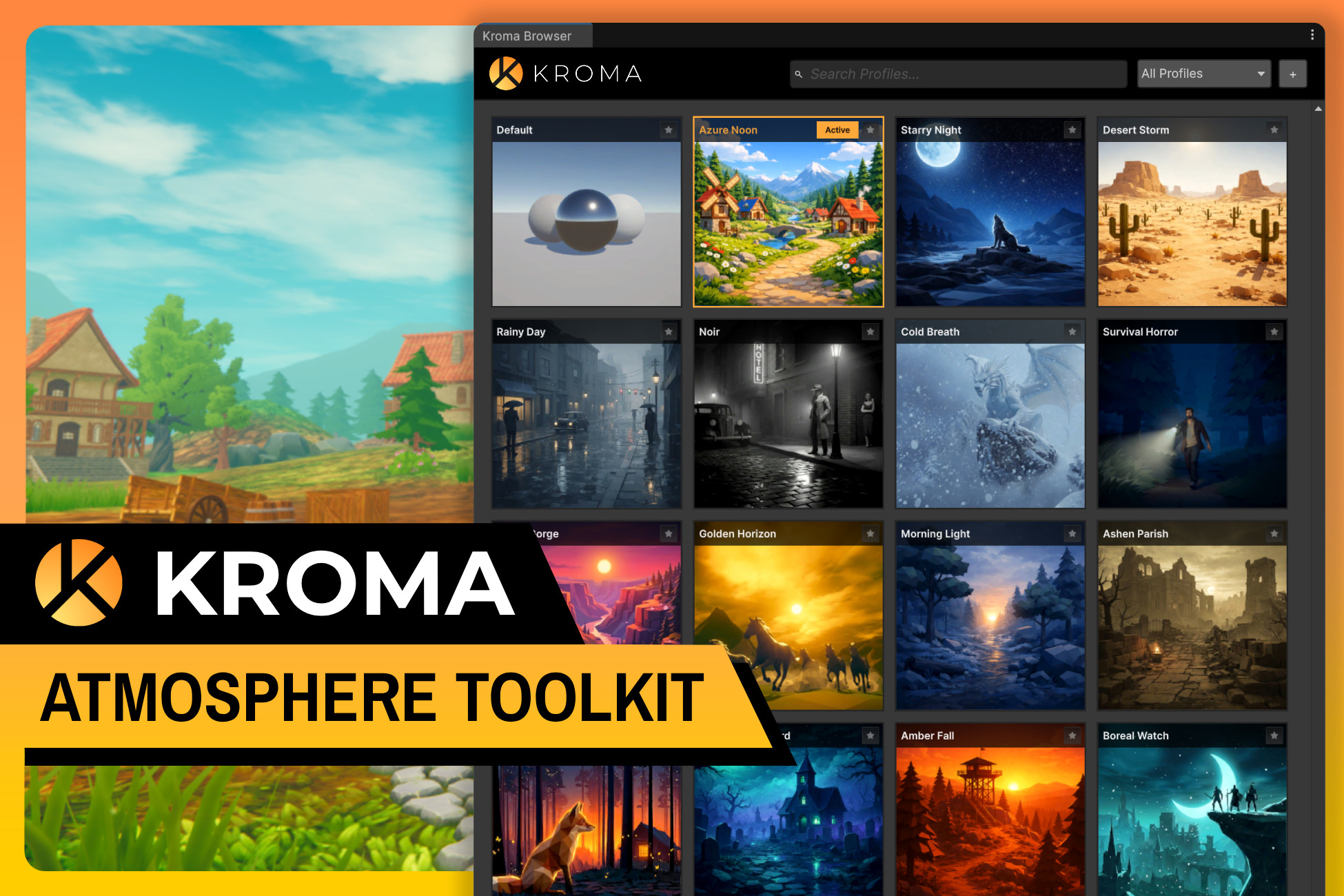
KROMA Atmosphere Toolkit gives your games a professional mood, lighting, and look in one click. Browse over 30 atmosphere profiles in the user-friendly Kroma browser to instantly apply a skybox, lighting, fog, post-processing, and particle effects.
Kroma also makes it super easy to customize the existing profiles or create your own and add them to the list to reuse later. It ships with tons of functionality and presets.
Testing your game with multiple environments is easy. Stop tweaking settings for hours. Ship beautiful scenes now.
▶️Kroma on Youtube | 📕Online Documentation
--------------------------------------------------------------
Key Features
- Kroma Browser: A polished gallery window with rich thumbnails, search, non-destructive preview, and favorites. Browse your entire atmosphere library without leaving the editor. No play mode required.
- Kroma Profiles: Over 30 hand-crafted profiles include day, golden hour, night, rain, horror, and many other themes. One click completely changes the look and feel by configuring your skybox, directional light, fog, post-processing, and particle effects.
- Kroma Skybox: A high-performance URP shader with animated clouds, god rays, stars, planets and celestials. Fully procedural and highly customizable with a wide range of built-in presets.
- Profile Creation System: Expand the possibilities by building and saving custom profiles from existing presets or from scratch. The system captures your skybox, lighting, fog, post-processing, and particle setup. It also includes a screenshot tool to generate the thumbnails shown in the Kroma Browser.
- Particle Effects: Rain, snow, sandstorm, ground fog, falling leaves, and more, all designed to complement your atmosphere profiles.
- Built for speed: One click sets up your scene automatically. Another click applies any profile instantly without Play Mode or recompilation.
--------------------------------------------------------------
Third-Party Notices
The demo scene provided with this asset utilizes models and textures from Medieval Village Mega Kit, Stylized Nature Mega Kit, and Fantasy Props Mega Kit by Quaternius under Creative Commons Zero (CC0). See Third-Party Notices.txt file in package for details.
Key features
📦 What's Included
- Kroma Browser with gallery, search, preview and favorites
- 30+ ready-to-use atmosphere profiles
- Demo scene to test all profiles
- Kroma Skybox shader with animated clouds, god rays, stars and celestials
- Particle effects: rain, snow, sandstorm, ground fog, falling leaves, and more…
- You get numerous high-quality skybox presets for skybox colors, clouds, and celestial bodies like the sun, moon, and planets.
--------------------------------------------------------------
✅ Compatibility
- Unity 6.0 or higher
- Universal Render Pipeline (URP) only
--------------------------------------------------------------
ℹ️ Important
- Kroma is URP only and does not support HDRP or the Built-in Render Pipeline.
- Animated clouds and god rays are procedural textures projected on the skybox and are not volumetric.
- The scenes, environments, and 3D models shown in the Kroma Browser profile thumbnails are not included in this package. They are used solely to illustrate the visual style, lighting, and mood that each profile will apply to your own scenes.
- Kroma is not a day-night cycle system or weather simulation tool.