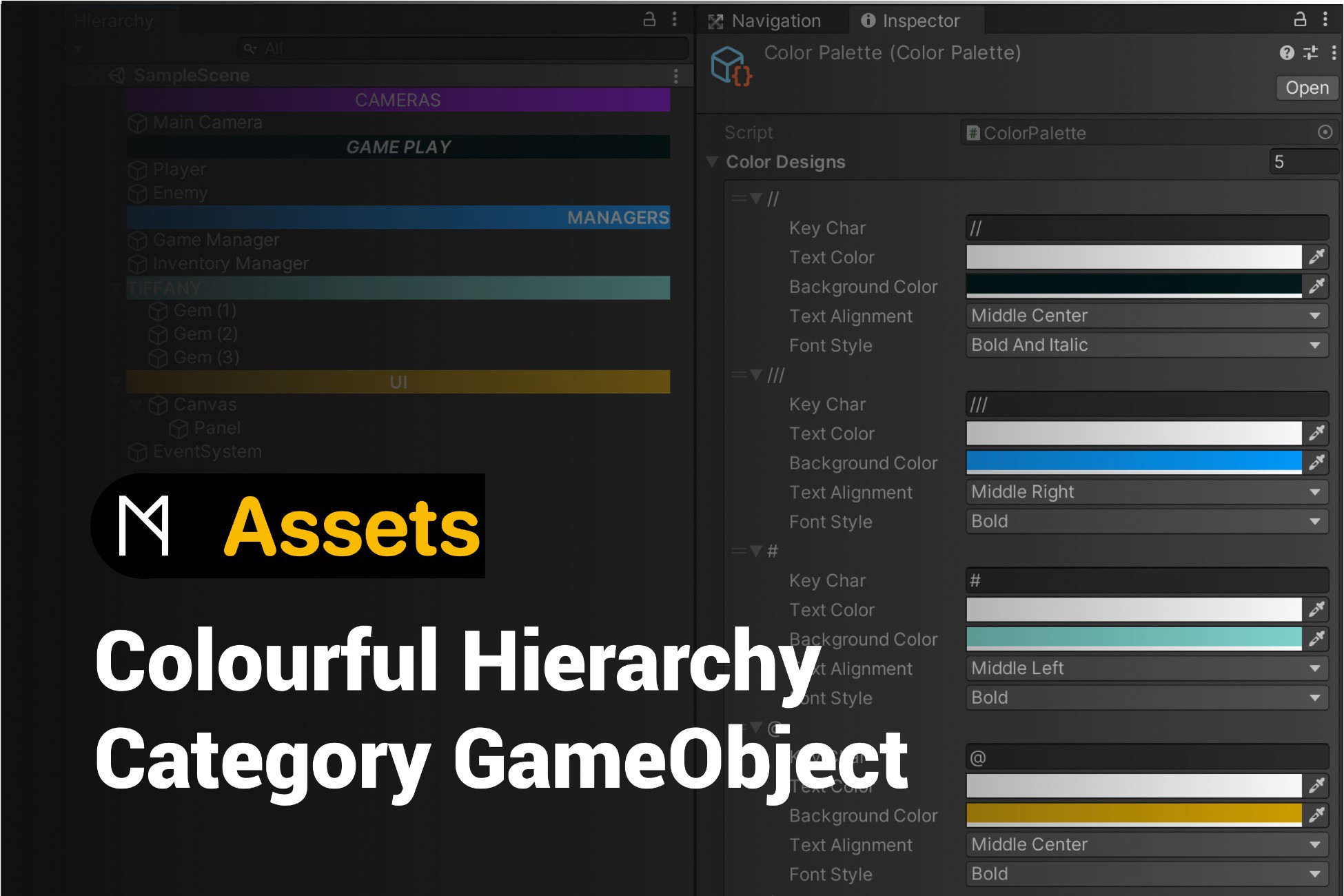
Colourful Hierarchy Category GameObject
Launched Nov 2021 4.9y
Updated Mar 2022 4.6y Abandoned?
M STUDIO HUB
Recent trend data isn't available for this listing.
See store for pricing tools
Price history
Tracked store price
No tracked price history is available for this asset yet.
No tracked price history is available for this asset yet.
Signals
Momentum (24h) +219 views
Recent Sentiment
Recent trend data isn't available for this listing.
Package size 0.62 MB
Review Consensus
Editor's Cut
Pros
This asset is widely praised for its simplicity, ease of use, and effectiveness in organizing the Unity Hierarchy window, significantly improving workflow efficiency and visual clarity. Users appreciate its lightweight nature compared to more bloated alternatives, and it is frequently cited as an essential productivity tool that makes navigating complex scenes much faster and more intuitive.
While highly effective for organization, the asset is currently a technical liability that requires manual code maintenance to function in modern Unity versions, making it unsuitable for professional production environments without a commitment to self-support.
Cons
The asset suffers from significant maintenance issues, as it frequently breaks with newer Unity versions (specifically 2022.x and Unity 6) and requires manual code patches or folder restructuring by the end-user to function. Additional drawbacks include forced UI behaviors like uppercase text conversion, the hiding of object icons, lack of support for disabled game objects, and a general lack of official updates from the developer.
Render pipelines
None flagged
Description
All Unity Versions supported
Keep Editor folder in your project.
How to customise your own style:
1. M Studio - Colourful Hierarchy Category GameObject
2. Chose Color Palette
3. There are some preset style in it. You can add new ones or modify any one
4. Go to your Hierarchy window, rename any gameObject begin with your symbol ( keyChar in Color Palette ) and save your project.
5. For more informations, please take a look at the code in StyleHierarchy.cs file
Key features
Using ScriptableObject file to set the bar style.