Mesh Combiner
Launched Jan 2020 6.8y
Updated Nov 2020 6y Abandoned?
Critsoft
Recent trend data isn't available for this listing.
See store for pricing tools
Price history
Tracked store price
No tracked price history is available for this asset yet.
No tracked price history is available for this asset yet.
Signals
Momentum (24h) +295 views
Recent Sentiment
Recent trend data isn't available for this listing.
Package size 1.15 MB
Review Consensus
Editor's Cut
Pros
This asset is widely praised for its exceptional performance optimization, frequently cited for drastically reducing draw calls and significantly boosting frame rates in both VR and standard projects. Users appreciate its lightweight, intuitive, and straightforward design, which requires minimal setup and avoids unnecessary bloat. Its ability to accurately preserve local scales and handle complex hierarchies makes it a reliable, time-saving alternative to more expensive paid solutions, and its status as a free tool makes it an essential, high-value addition to any developer's library.
This is a high-impact, zero-cost utility that every Unity developer should keep in their toolkit for rapid draw call reduction, provided you are willing to manually verify material assignments and handle prefab saving quirks.
Cons
The tool lacks advanced features such as automatic deletion of internal faces to further optimize geometry and has reported inconsistencies with multi-material handling, where some users experience issues with material mapping or saving combined meshes within prefab workflows. A small subset of users reported failures in specific mesh combinations, and while highly effective for editor-time optimization, it is generally not recommended for runtime use, which may limit its utility for certain dynamic procedural generation scenarios.
Render pipelines
None flagged
Description
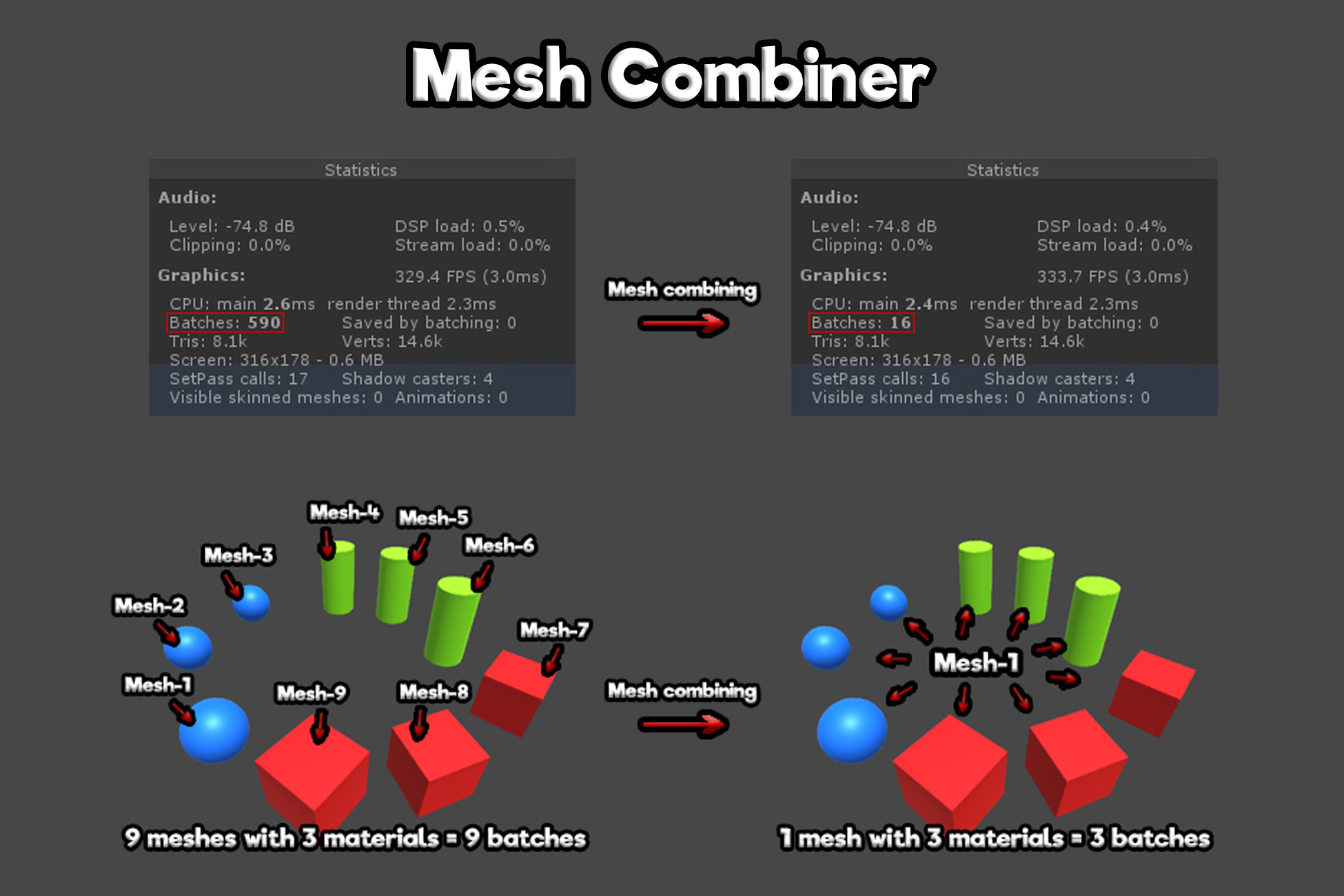
Mesh Combiner is a little tool which can combine different meshes into one mesh for reduce the amount of batches / draw calls, making your game more optimized.
You can use it in the edit mode and in the play mode from the inspector or via code.
In Unity 2017.3 or higher, the vertex limit is set to 4 billion in combined meshes if their number of vertices is over 65535.
In older versions of Unity, the limit is constant and is set to 65535 (you can not have mesh with over 65535 vertices).
You can use it in the edit mode and in the play mode from the inspector or via code.
In Unity 2017.3 or higher, the vertex limit is set to 4 billion in combined meshes if their number of vertices is over 65535.
In older versions of Unity, the limit is constant and is set to 65535 (you can not have mesh with over 65535 vertices).